Start with the moments when your phone feels least secure
A secure hold is less about finding the most rugged accessory and more about noticing when your phone is awkward to handle. Perhaps you check directions while walking, reach for a transit pass with one hand, or pull your phone from a crowded bag. At home, you might want a steadier hold while reading on the sofa. These situations call for different solutions, so begin with one or two moments you want to improve.
Also consider how you normally carry your phone. A bulky grip may help when you are holding it but catch on a narrow pocket. A wrist strap may be convenient when your hands are briefly occupied, yet feel unnecessary if your phone rarely leaves a desk. No accessory makes a phone drop-proof. The useful goal is to make ordinary handling more comfortable and deliberate.
Choose a grip for control while the phone is in your hand
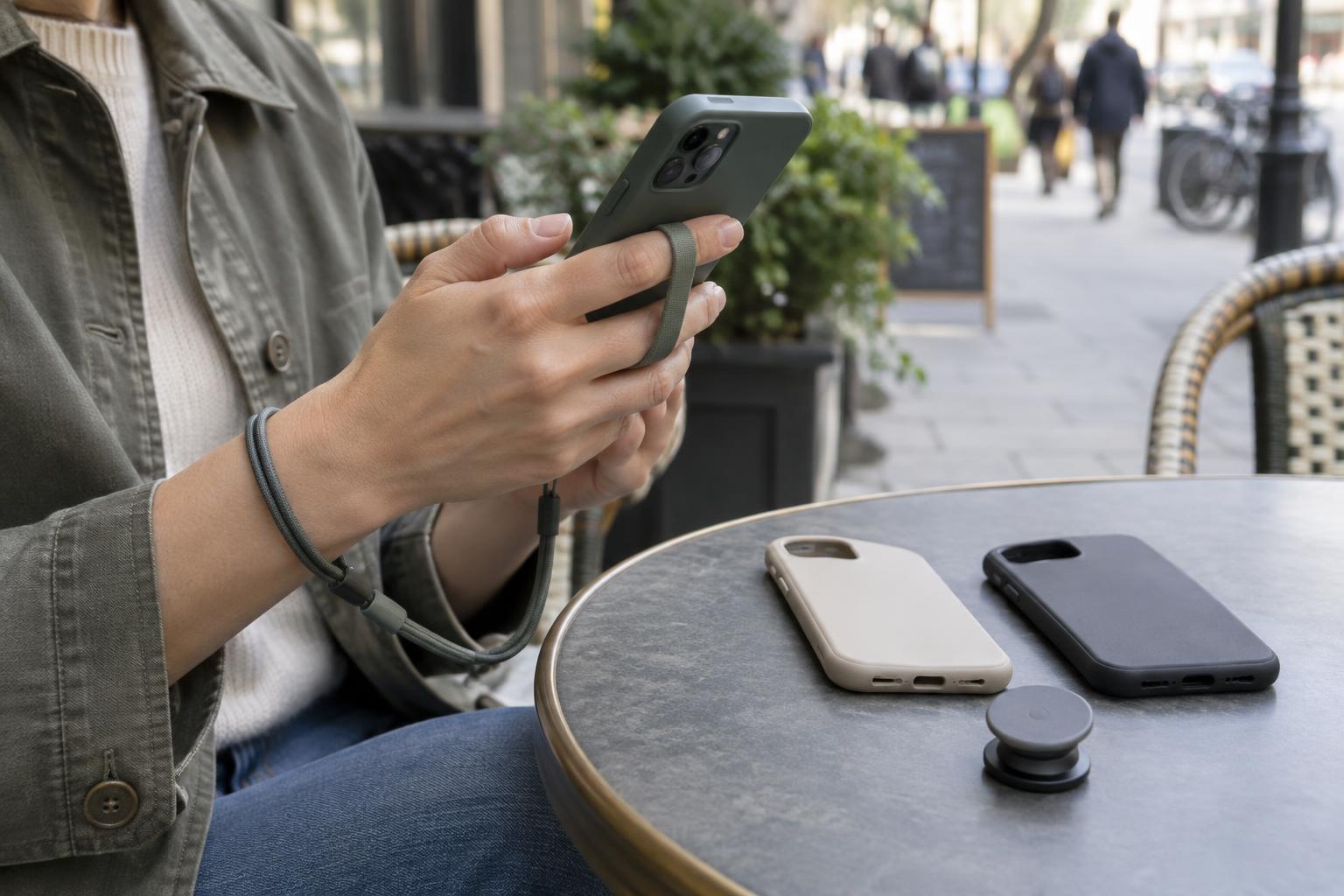
A grip attached to the back of a phone or case gives your fingers a place to rest. This can reduce the need to pinch the phone tightly, particularly when you are taking a photo or reaching across a large screen. Pop-out grips and rings serve a similar purpose, but they feel different: one may sit comfortably between your fingers, while another may make it easier to rotate the phone. If possible, try the position with your usual hand before committing to a permanent attachment.
Placement matters as much as style. Hold the phone as you normally would, then check whether your thumb can reach the controls you use most. A grip placed dead center may work well for one person and feel awkward for another. If the grip uses adhesive, check the maker’s guidance on compatible surfaces. Textured cases and some soft finishes may not give adhesive a reliable surface to hold.
Think about what the grip changes when you are not using it. A raised attachment can prevent a phone from lying flat and may interfere with some charging pads or mounts. If you regularly use either, look for a design intended to work with your setup, or choose an attachment you can remove without making daily use a chore.
Use a strap when you need a backup connection
A wrist strap or lanyard can help keep your phone close when you are moving between errands, carrying bags, or taking photos. Unlike a back grip, a strap does not necessarily make the phone easier to operate; it gives you another way to retain or carry it. A short wrist loop is often simpler to manage, while a longer strap can free your hands between uses.
Pay close attention to the attachment point. Some straps connect through a dedicated case opening, and others use a tab that sits inside the case near the charging port. Check that the case still fits snugly, the connector does not obstruct the port, and the strap hardware feels secure. A strap attached to a loose case is only as dependable as the case itself. Avoid treating any strap as a reason to let a phone swing freely near traffic, stairs, or other obstacles.
Comfort is easy to overlook. A narrow cord may dig into your wrist, and a long strap may snag on bag handles or furniture. Adjust the length so the phone is easy to bring into use without leaving excess material dangling.
Let the case do the everyday work
A case can improve your hold even without an added grip or strap. Look for a surface that feels secure in your hand, not just one that looks textured in a product photo. A slightly raised edge may help keep the screen from resting directly on a table, while covered corners can add a buffer against everyday bumps. Those features are useful, but they do not guarantee protection from a fall.
Balance coverage against fit. An overly thick case can make a large phone harder to wrap your fingers around; a very smooth case may slide out of a pocket or hand. Check that buttons remain easy to press and that the camera, charging port, and any accessories you use remain accessible. If you plan to add a grip or strap, confirm that the case supports that particular attachment before buying both.
Test the full setup, then keep it in good shape
Before settling on a combination, rehearse ordinary movements somewhere safe: take the phone out of your pocket or bag, unlock it, type a short message, and put it away again. Notice whether you have to change your grip repeatedly or whether any hardware catches. The best setup should make these familiar actions easier, not add another step every time you use your phone.
Check the accessory occasionally as part of cleaning your phone. Dust and skin oils can make a case slippery; straps can fray; adhesive grips may loosen. If an attachment shifts, a connector wears, or a case stops fitting firmly, replace the problem part rather than relying on it. A simple case with a comfortable texture may be enough. If it is not, add one accessory that solves a specific handling problem and see how it works in daily life.