Start by sorting what you have
Cables tend to collect because many look alike and few have an obvious home. Gather the loose cords, chargers, adapters, earbuds, and small devices from drawers, bags, and shelves. Unplug anything you plan to move before handling it. Put everyday items in one group, occasional-use items in another, and anything you cannot identify in a temporary “check later” pile. Keeping that last pile separate stops uncertainty from slowing down the whole project.
Match cables to devices where you can, then check whether each item still works and whether you still own what it serves. Set aside damaged cords rather than returning them to storage, and follow local guidance for disposing of electronics. You do not need to identify every mystery plug immediately. Give the remaining unknown items a small, dated container; if you cannot find a use for one after checking your devices, reconsider whether it needs space in your home.
Create homes based on where you use things
An organized cable is only useful if it is near the task it supports. Choose a charging spot for the devices you use daily, such as a side table, desk, or entryway shelf with a suitable outlet nearby. Keep the necessary chargers there, rather than scattering duplicates around the room. Leave enough clear space to set down a phone or headphones without balancing them on a stack of papers.
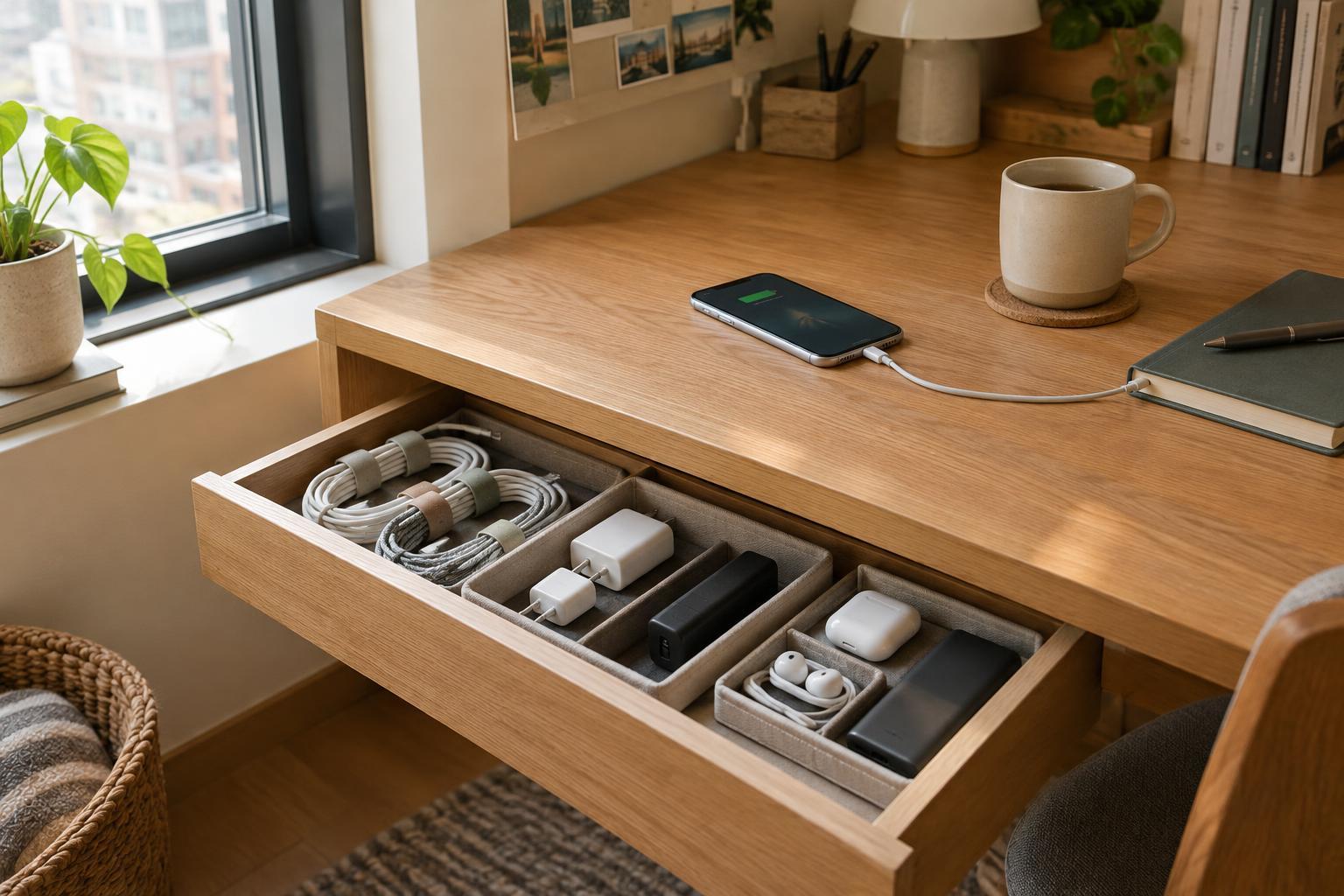
Store less frequently used accessories close to their related devices. A camera cable can live with the camera; a spare laptop adapter might belong in a work bag or desk drawer. In a small home, a shallow tray or one drawer section can serve several purposes without becoming a dumping ground. The goal is not to hide every wire. It is to make the equipment you need easy to reach and easy to put away.
Contain cords without making them hard to use
For unplugged spare cables, make a loose loop and secure it with a reusable hook-and-loop tie or a soft strap. Avoid sharp bends near the connector, where repeated strain can cause wear. Put similar items together in small pouches, drawer dividers, or labeled containers. Labels such as “USB cables,” “audio,” and “travel chargers” are more helpful than a single box marked “tech.” If several cords look identical, add a small label naming the device they serve.
For cables in active use, route them along the back of a desk or table so they do not cross walking paths or snag when you move furniture. Removable clips may suit a rental or any surface you do not want to drill, but check that an adhesive is appropriate for the finish first. Keep plugs and power strips accessible. Do not tuck charging equipment under bedding or pack it tightly into a covered container while it is in use; follow the device maker’s instructions for ventilation and safe operation.
Give small electronics their own landing places
The awkward items are often not the cables but the devices attached to them: a portable battery, wireless earbuds, a computer mouse, or a small speaker. Give each regularly used item a landing place that fits the way you leave the room. A tray by the door may work for earbuds and a power bank, while a desk organizer makes more sense for a mouse and its accessories. Keeping these spots visible can make it easier to notice when something is missing before you head out.
For occasional-use electronics, protect them from being crushed or scratched in a crowded drawer. A pouch or divided box can hold a device alongside its matching cable and any small attachments. Keep instructions only when they are useful to you; for products with model numbers, a simple label on the storage container can help you find the right accessory later. Avoid buying a large organizer before sorting. You may already have a suitable box or drawer insert once you know how much you need to store.
Make the system easy to maintain
A cable system works best when it asks very little of you. Leave a little open space in each container so putting a cord away is easier than leaving it on a counter. Keep one small spot for accessories that need to be identified or returned to another room, and clear it when it fills up. If a charger repeatedly ends up somewhere other than its assigned spot, consider whether that location is where you actually need it.
Revisit the setup whenever you replace a device or rearrange a room. Remove the accessories that no longer have a purpose, check that labels still make sense, and look for cords that are being pinched or pulled. This brief reset is more manageable than rebuilding the whole system after clutter returns. The payoff is simple: fewer searches, clearer surfaces, and electronics that are ready when your limited free time is not.